Create a group hashtags
📌 How to create group hashtags within the social planner
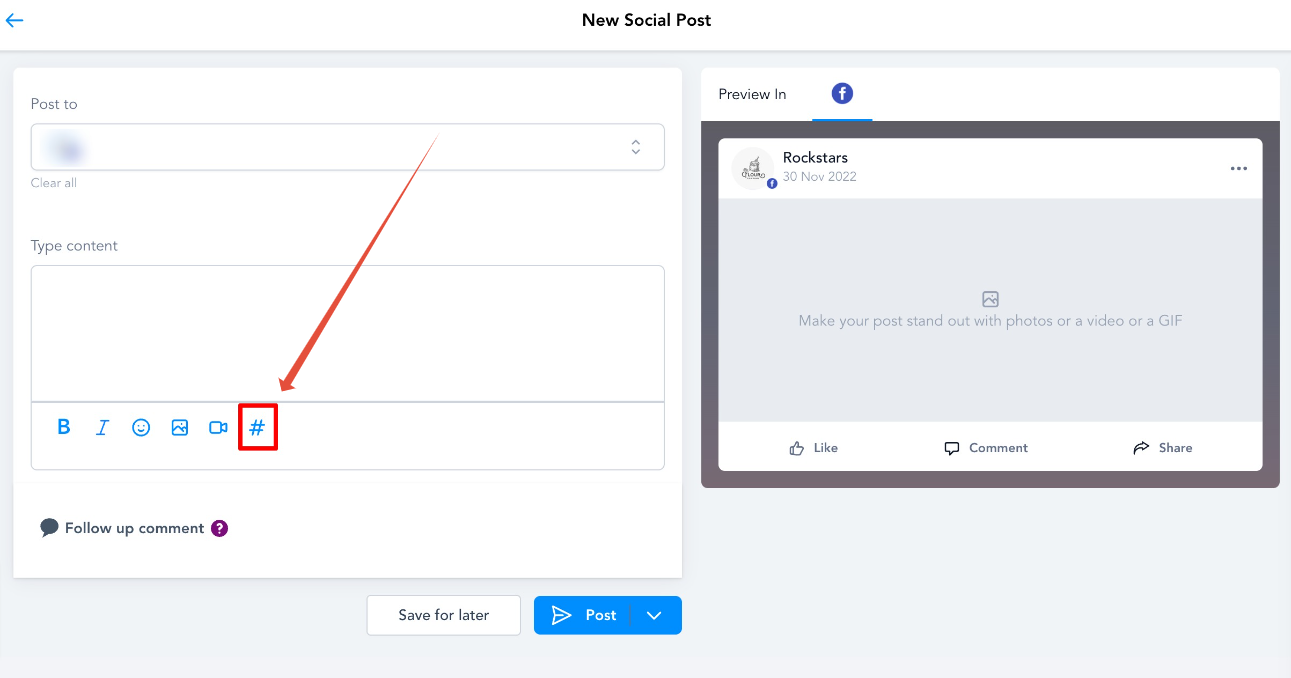
1️⃣ Go to 'Marketing' > 'Social Planner' > Click on the 'Create New Post' button 2️⃣ In Create Post, there is an option to add hashtags '#'
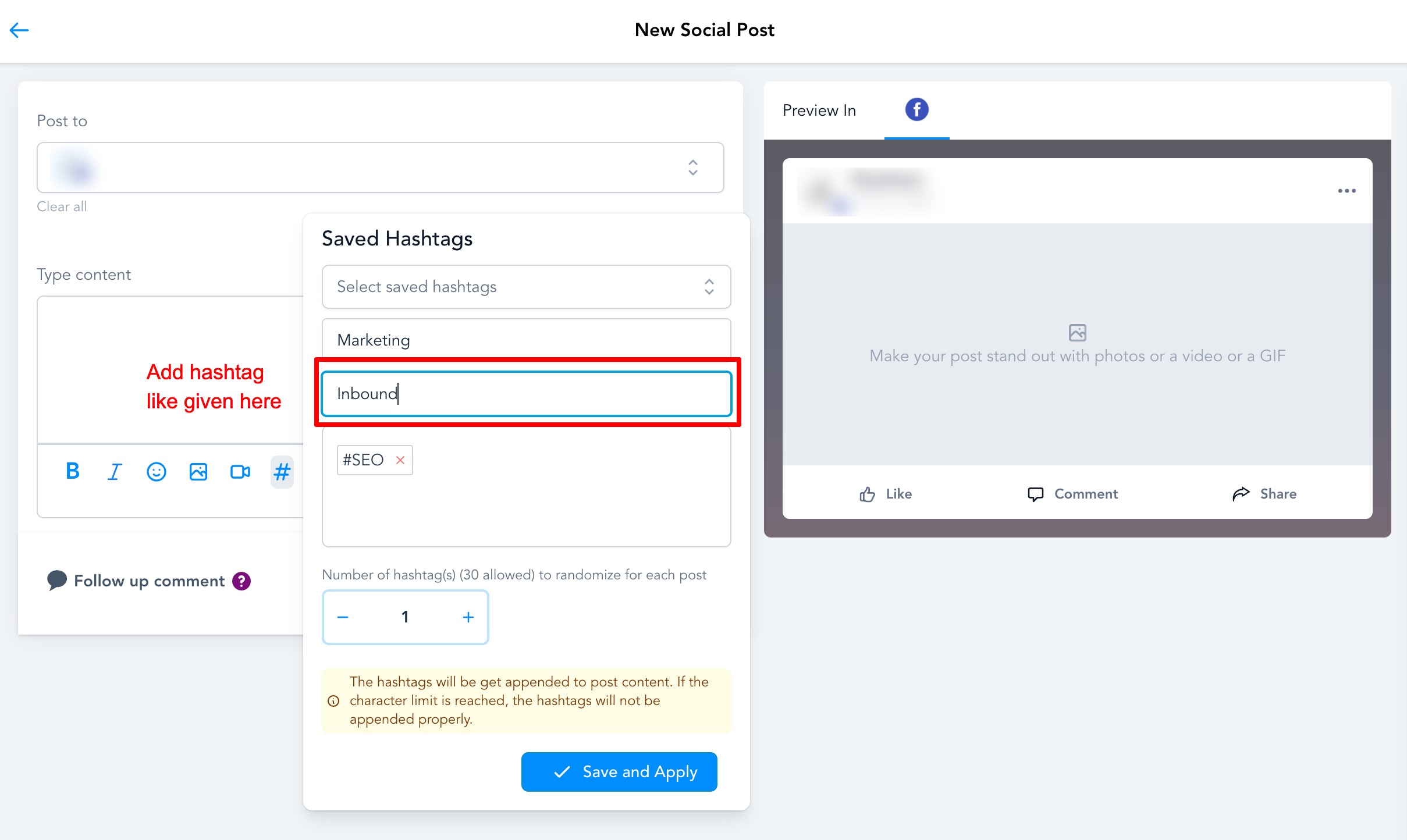
3️⃣ After clicking on the '#', a pop-up will appear, which requires information regarding the new addition.
You need to add a Name for the set
Add the hashtags you want to use when selecting this particular set of hashtags
There is an option to add several hashtags when the post is created
⚠️ The maximum number allowed is 30 hashtags in each post ✅ Once the hashtags are added, click on 'Save and Apply' to save the hashtag group
📂 Whenever a new social post is created, the user can choose the saved hashtag grouping that they would like to append to the post.