How to auto-optimise the images for social scheduling?
🧰 Overview: We are excited to roll out a new enhancement to your SalesMFast Social Planner experience: Media Optimization. This feature ensures your images are always ready for smooth and error-free content scheduling. Say goodbye to manual adjustments and hello to effortless optimization!
🎯 Key Benefits
- ✂️ Automatic Image Resizing: Your images are instantly adjusted to meet platform-specific requirements—no manual resizing needed.
- 🖼️ Enhanced Quality: Retain your images’ visual appeal without compromising quality.
- 🔄 Improved Compatibility: Automatically formatted images ensure compliance with the technical requirements of various social media platforms.
- 🚀 Faster Uploads: Optimized images are lighter in size, reducing upload times for a seamless scheduling experience.
- ⚠️ Error Prevention: Common issues like incorrect dimensions, large file sizes, or unsupported formats are fixed automatically.
🔧 How It Works
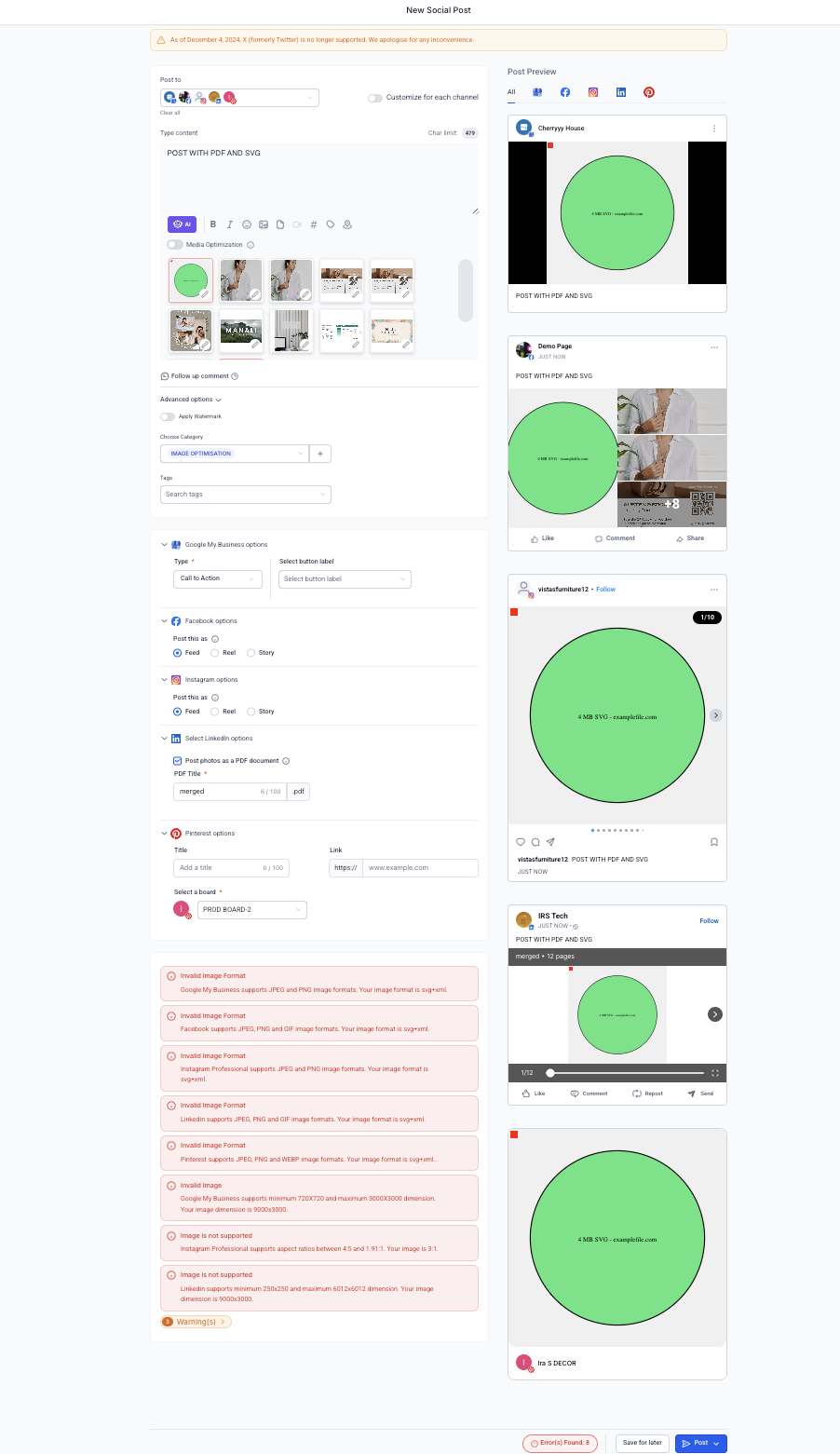
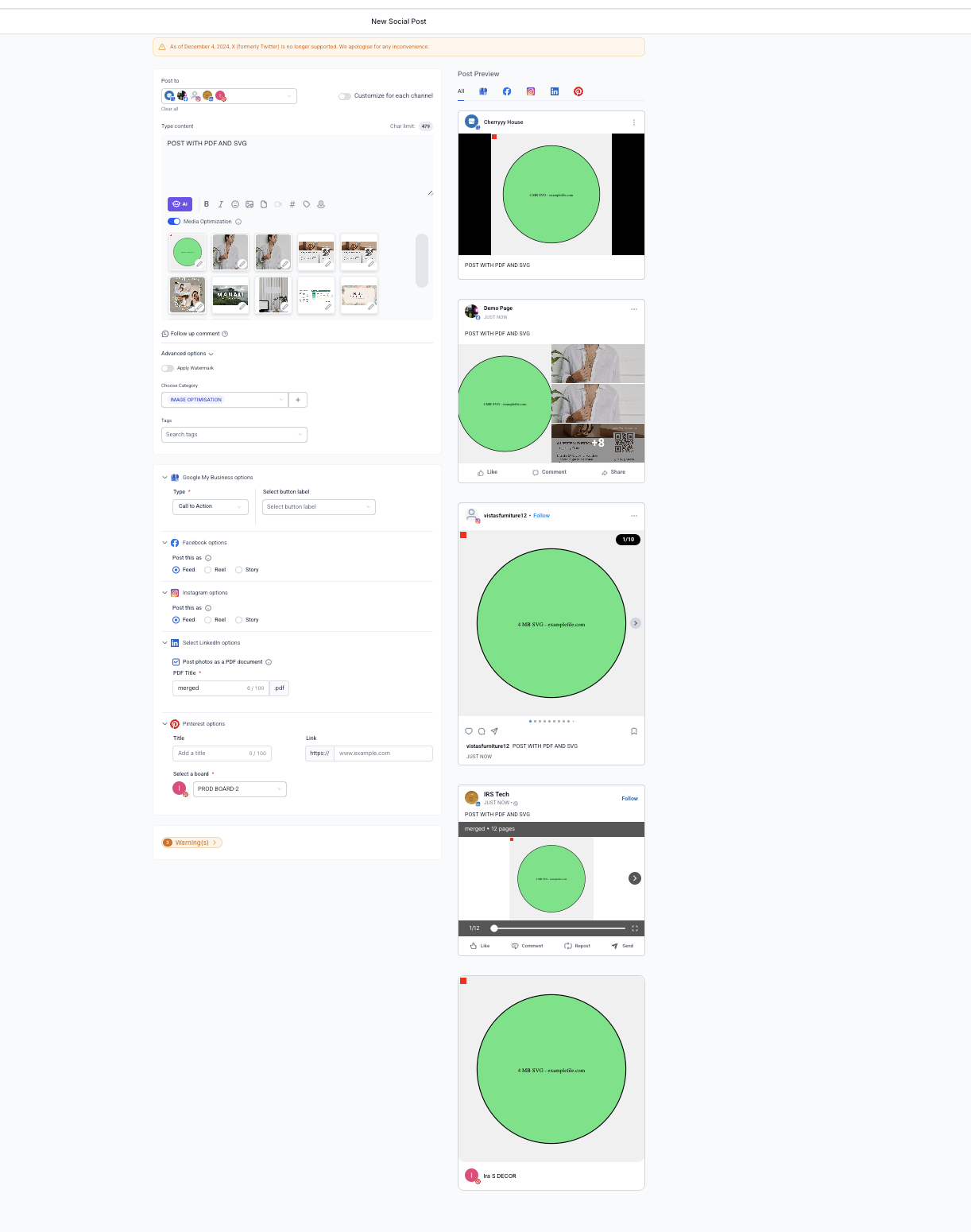
1️⃣ Create a "New Post". 2️⃣ Upload an image to the SalesMFast Social Planner. You’ll see a toggle for "Media Optimization". 🔄 When toggled ON (default):
- 🧾 Analyze: The image is checked for compatibility issues.
- ✨ Optimize: The image is adjusted to match the platform's requirements.
🔧 You can manage this feature from the Settings tab, enabling/disabling optimization as needed to retain original media.
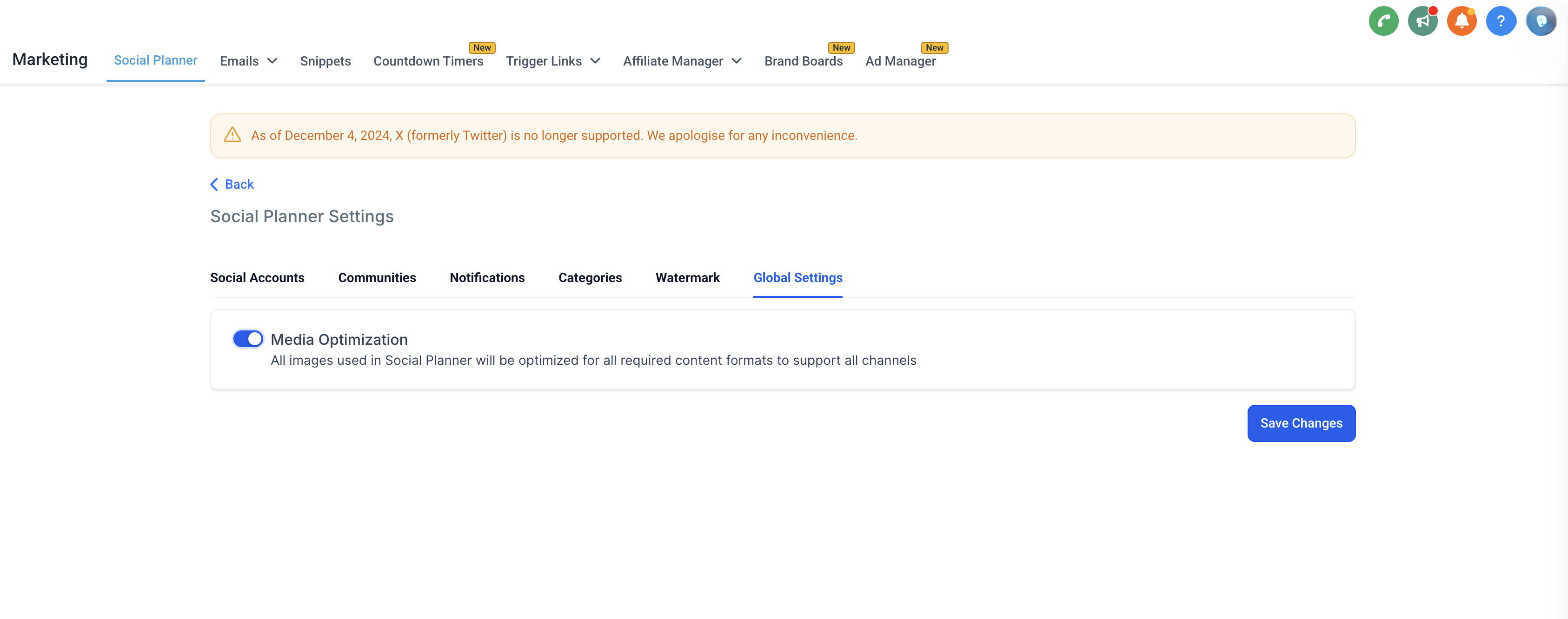
📐 What We Optimize It'll solve the platform-specific issues based on:
- Format
- Size
- Aspect Ratio
- Dimensions
🛠️ The platform-specific errors that will be fixed as a part of it:
📘 Facebook Post
- Facebook supports JPEG, PNG and GIF image formats. Your image format is {format}.
- Facebook supports image up to 10MB. Your image is {size} MB
📘 Facebook Story
- Facebook Story supports JPEG, PNG and GIF image formats. Your image format is {format}.
- Facebook Story supports image up to 4MB. Your image is {size} MB
📸 Instagram Post
- Instagram supports JPEG, PNG and GIF image formats. Your image format is {format}
- Instagram supports image up to 8MB. Your image is {size} MB
- Instagram Professional supports aspect ratios between 4:5 and 1.91:1. Your image is {aspectRatio}
📸 Instagram Story
- Instagram Story supports JPEG image formats. Your image format is {format}
- Instagram Story supports image up to 8MB. Your image is {size} MB
📍 Google My Business
- Google My Business supports JPEG and PNG image formats. Your image format is {format}
- Google My Business supports image up to 5MB. Your image is {size} MB
- Google My Business supports minimum 720x720 and maximum 3000x3000 dimensions. Your image dimension is {width}x{height}
- LinkedIn supports JPEG, PNG and GIF image formats. Your image format is {format}
- LinkedIn supports image up to 8MB. Your image is {size} MB
- LinkedIn supports minimum 250x250 and maximum 6012x6012 dimensions. Your image dimension is {width}x{height}
- Pinterest supports JPEG and PNG image formats. Your image format is {format}
- Pinterest supports image up to 10MB. Your image is {size} MB
👥 Community
- Community supports JPEG, PNG, SVG, GIF and WEBP image formats. Your image format is {format}.
- Community supports image up to 10MB. Your image is {size} MB
💡 Why This Matters We know how frustrating image-related errors can be when planning your social content. With Image Optimization, you can focus on creating engaging posts while we take care of the technical details.
🎥 What’s Next? Video Optimization is coming soon! Get ready to enhance your videos with the same seamless experience.
📝 Note: This change wouldn't be visible in the preview but the actual published image on the platform.
🛠️ Try Media Optimization Now and enjoy effortless social scheduling! 🎉