Send Automatic Reminders
⏰ Setup Automated Reminders
Automated reminders mean fewer missed appointments and happier clients. They’re like your calendar gently tapping clients on the shoulder to remind them you're meeting soon.
🧭 Steps to Set It Up:
-
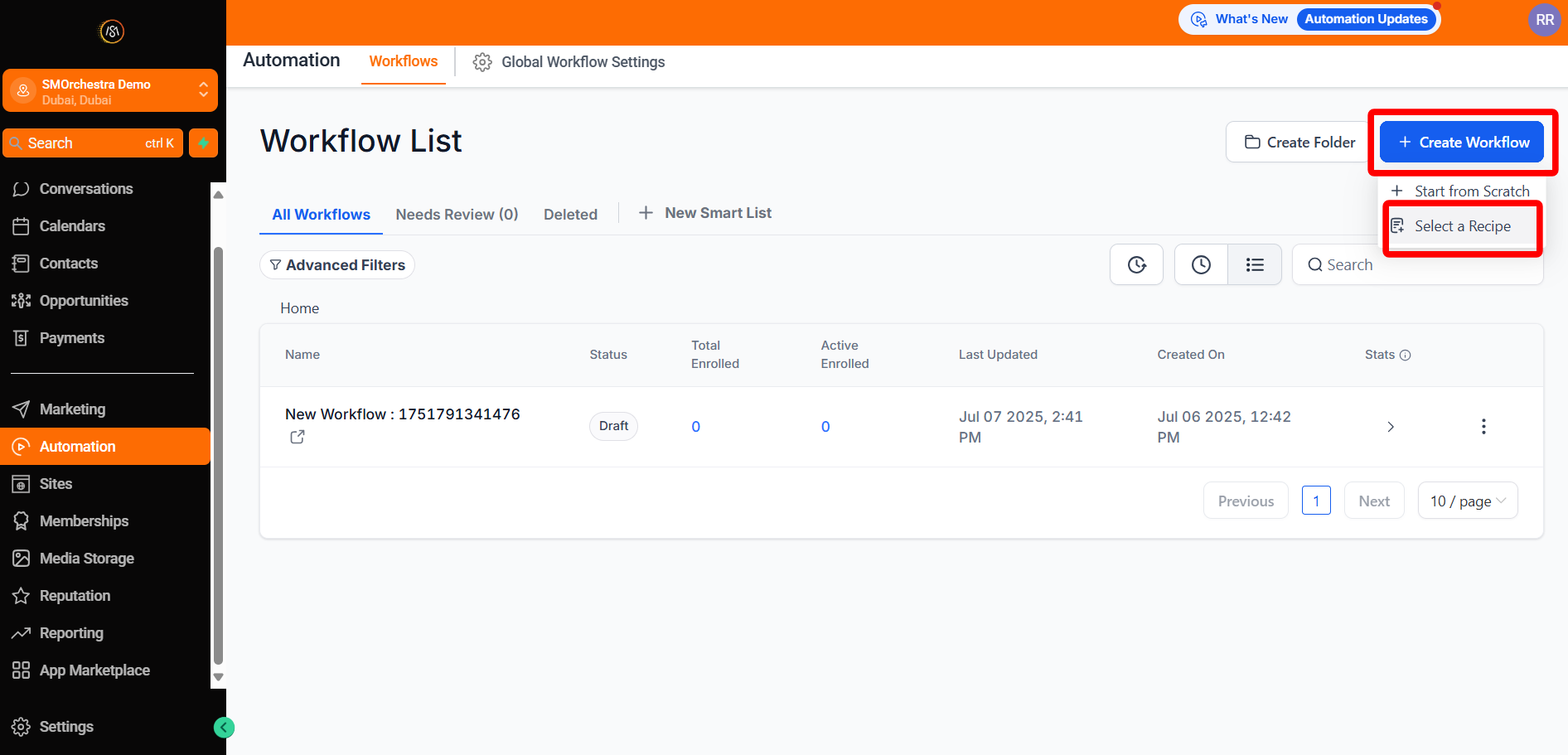
Navigate to Automation
-
Click Create Workflow and select Recipe
-
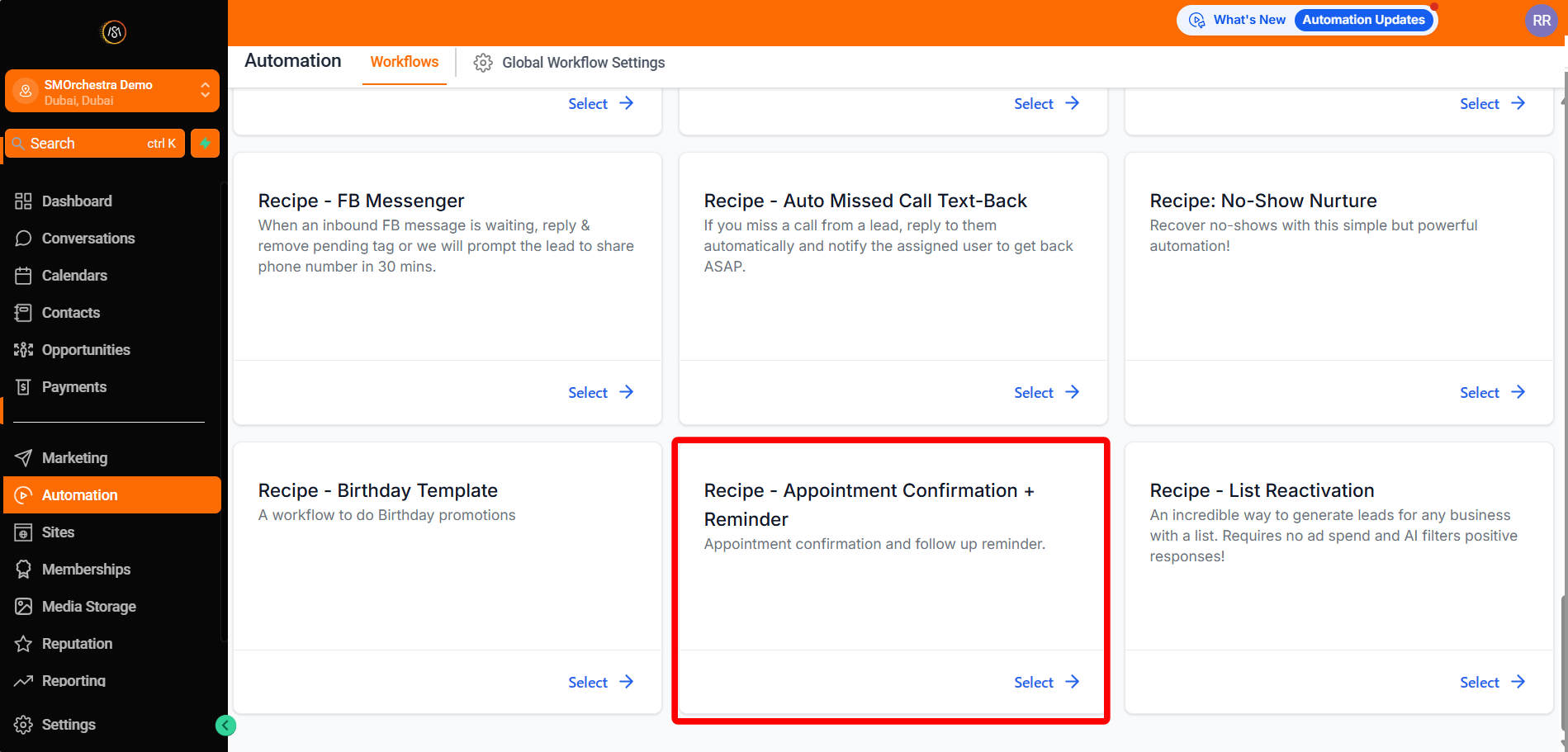
Choose the recipe Appointment Confirmation + Reminder
-
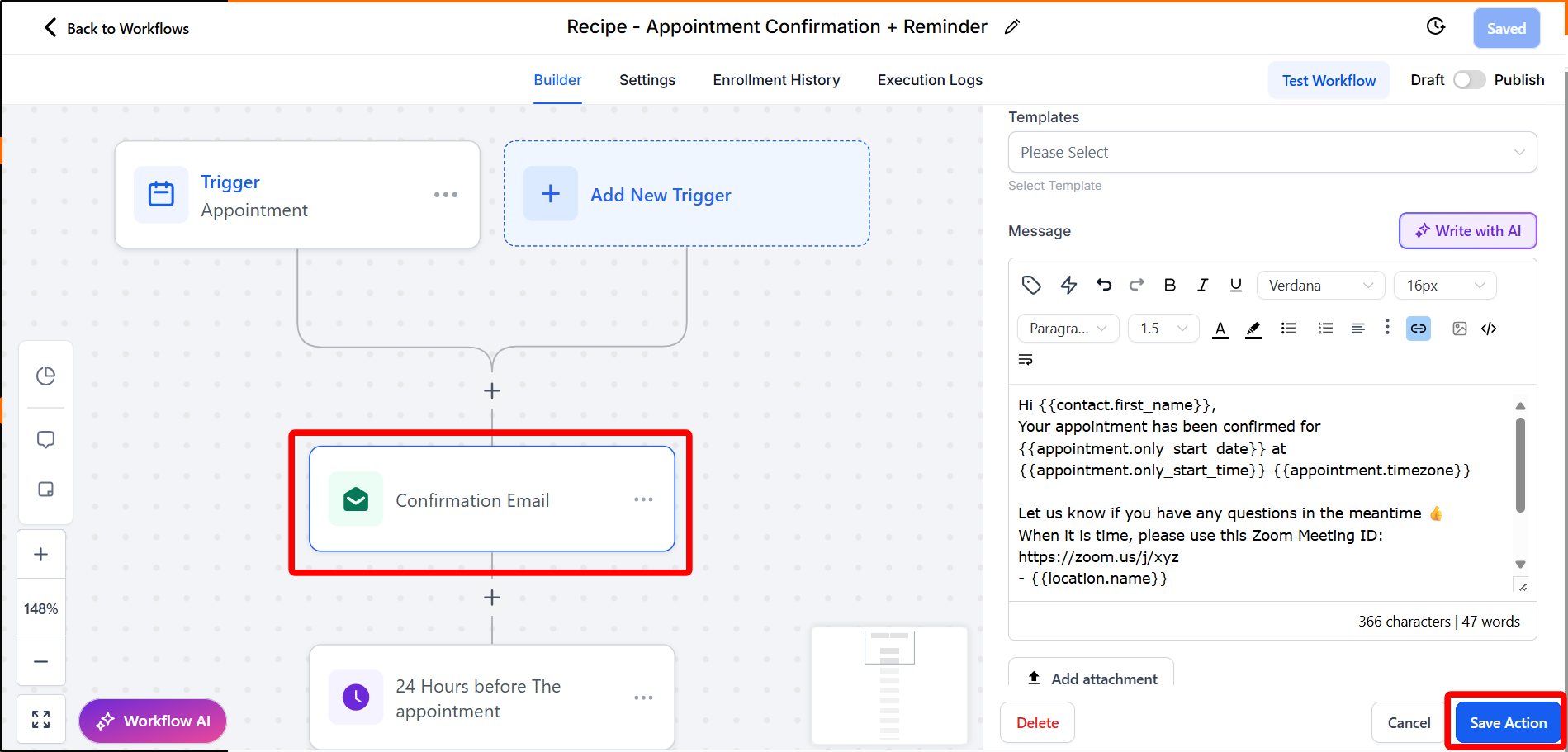
Edit the Confirmation Email action
-
Update your meeting link (Zoom, Google Meet, etc.) and click Save Action
-
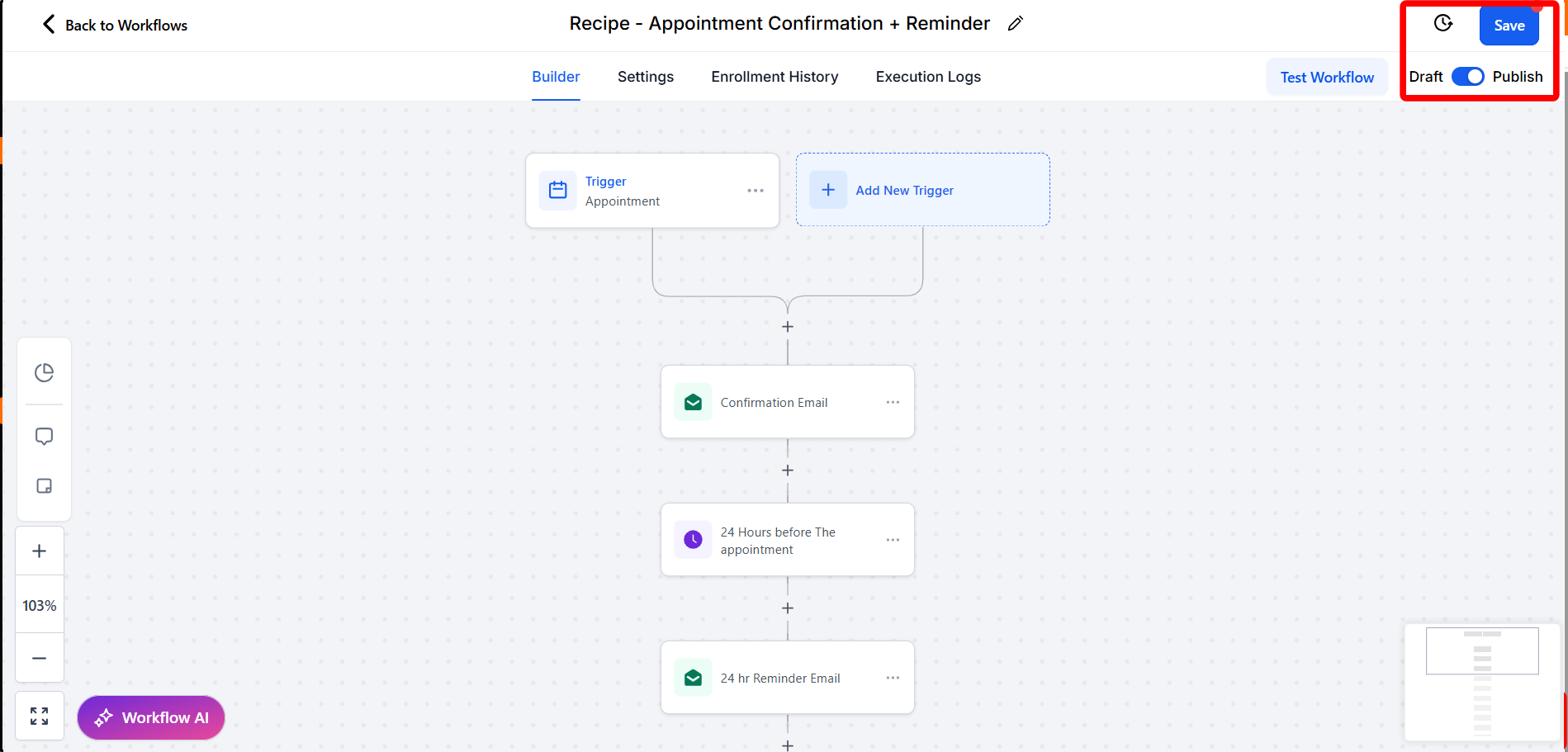
Review all actions
-
Click Publish
-
Click Save
Next: Consider customizing your reminders with personalized messages to build stronger client relationships.