Email Setup
📧 Setup Email
Ensure your messages land in inboxes, not spam folders. Here's a simple way to set up your email service:
-
Navigate to Settings > Email Services.
-
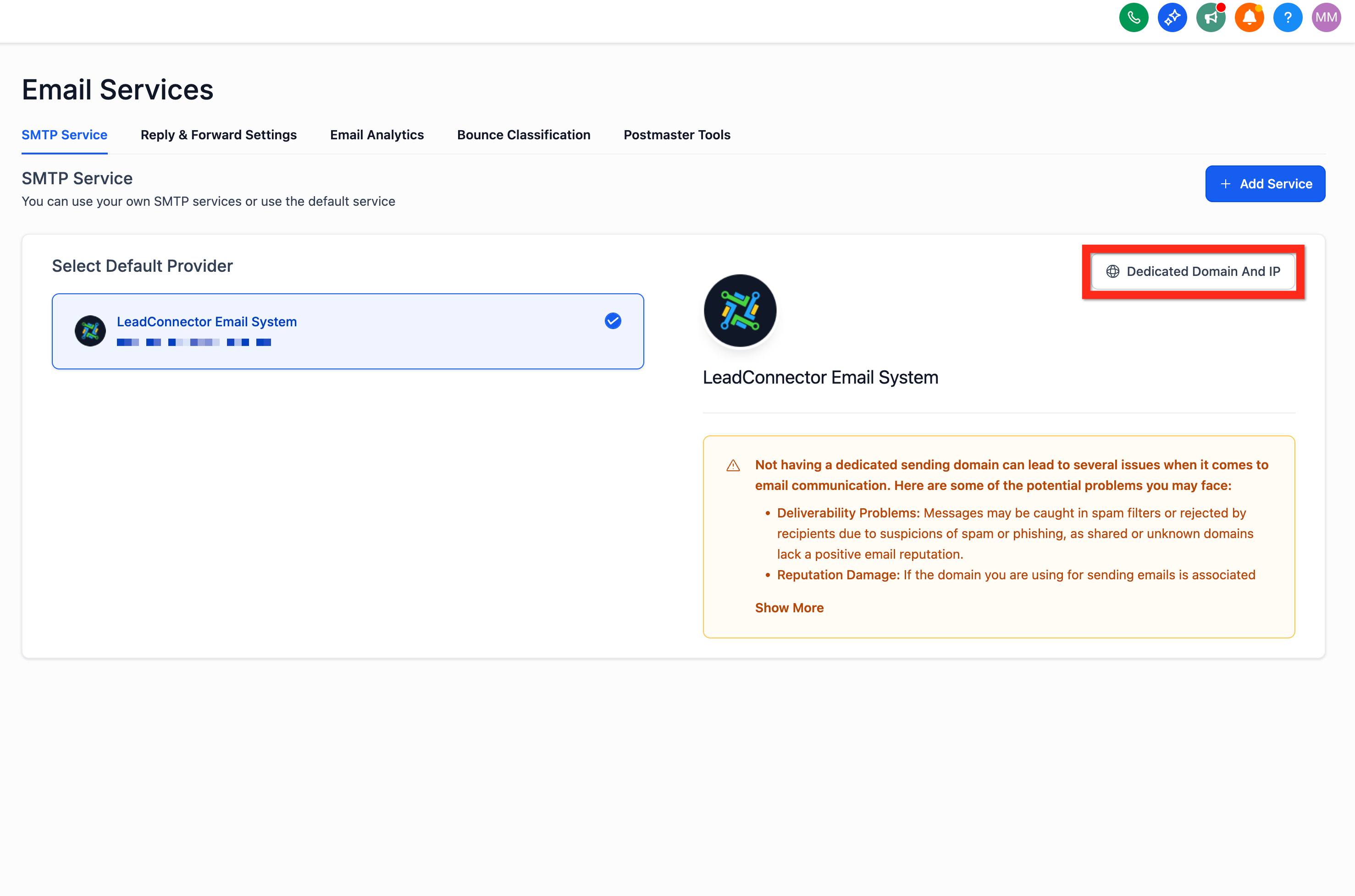
Click Dedicated Domain and IP.
-
Click Create Dedicated Domain.
-
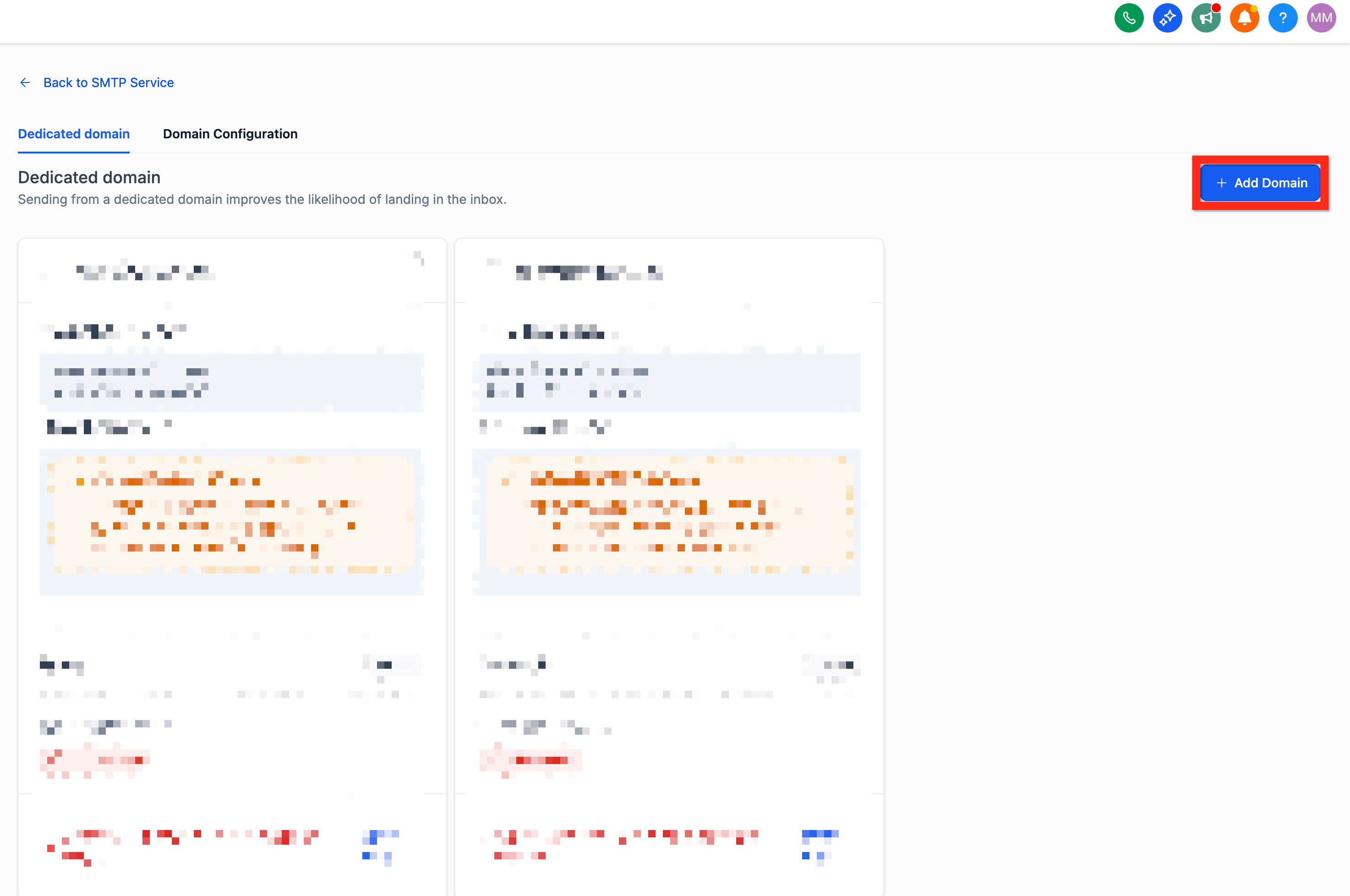
Click Add Domain.
-
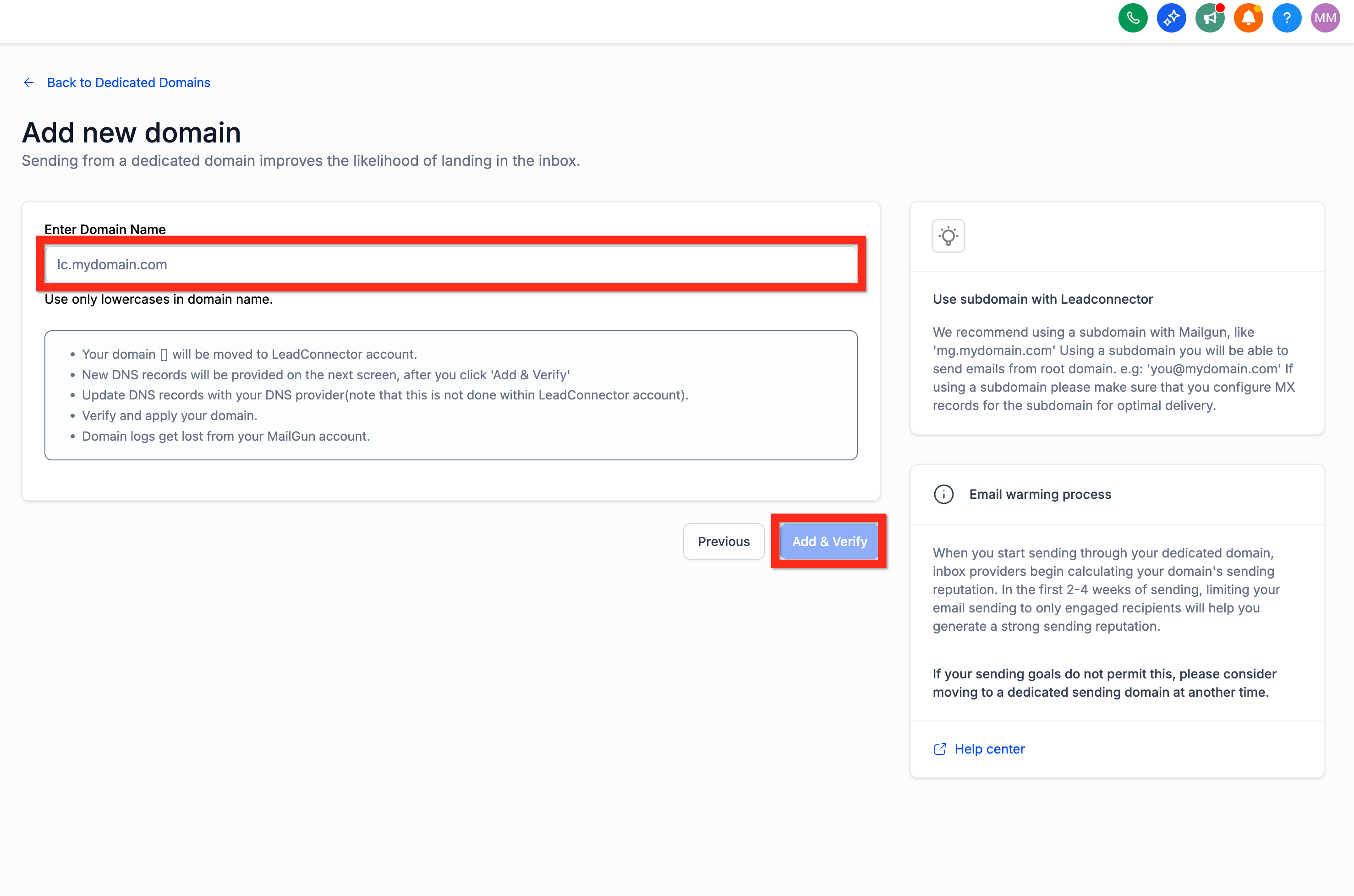
Enter a subdomain prefix along with your owned domain (e.g., lc.mydomain.com).
-
Click Add & Verify.
-
Configure DNS records according to your registrar's instructions.
-
Click Verify Records.
-
Add the additional TXT record provided.
-
Click Verify Domain.
-
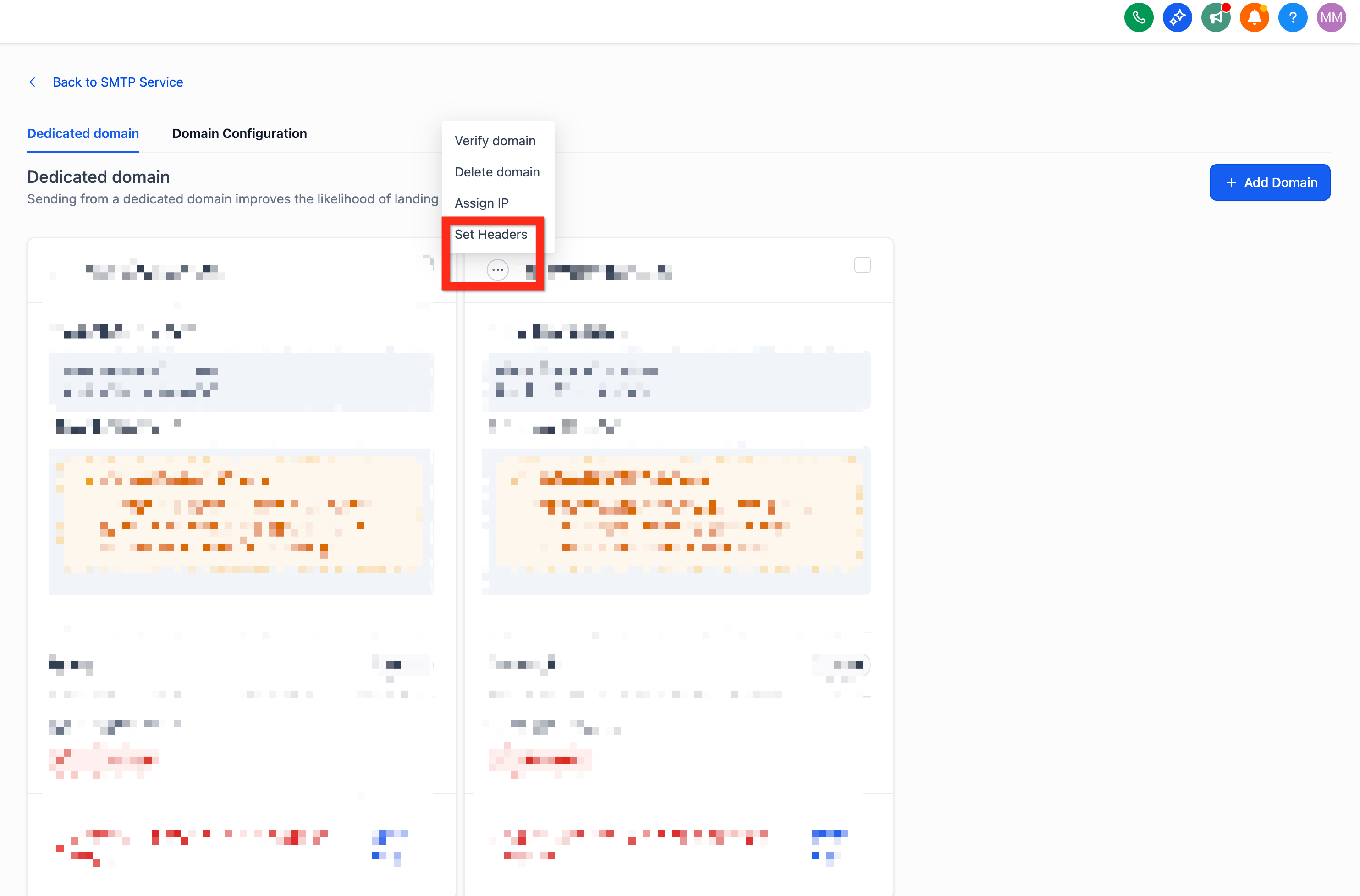
Customize your headers by clicking the 3-dot action menu and selecting Set Headers.
-
Enter your details (From Name, From Email).
-
Click Save.
Next, you can explore setting up your phone service to enhance your communication capabilities.
📞 Setup Phone
Want to offer instant, personalized interactions? Add phone numbers swiftly to your platform and be reachable in no time.
-
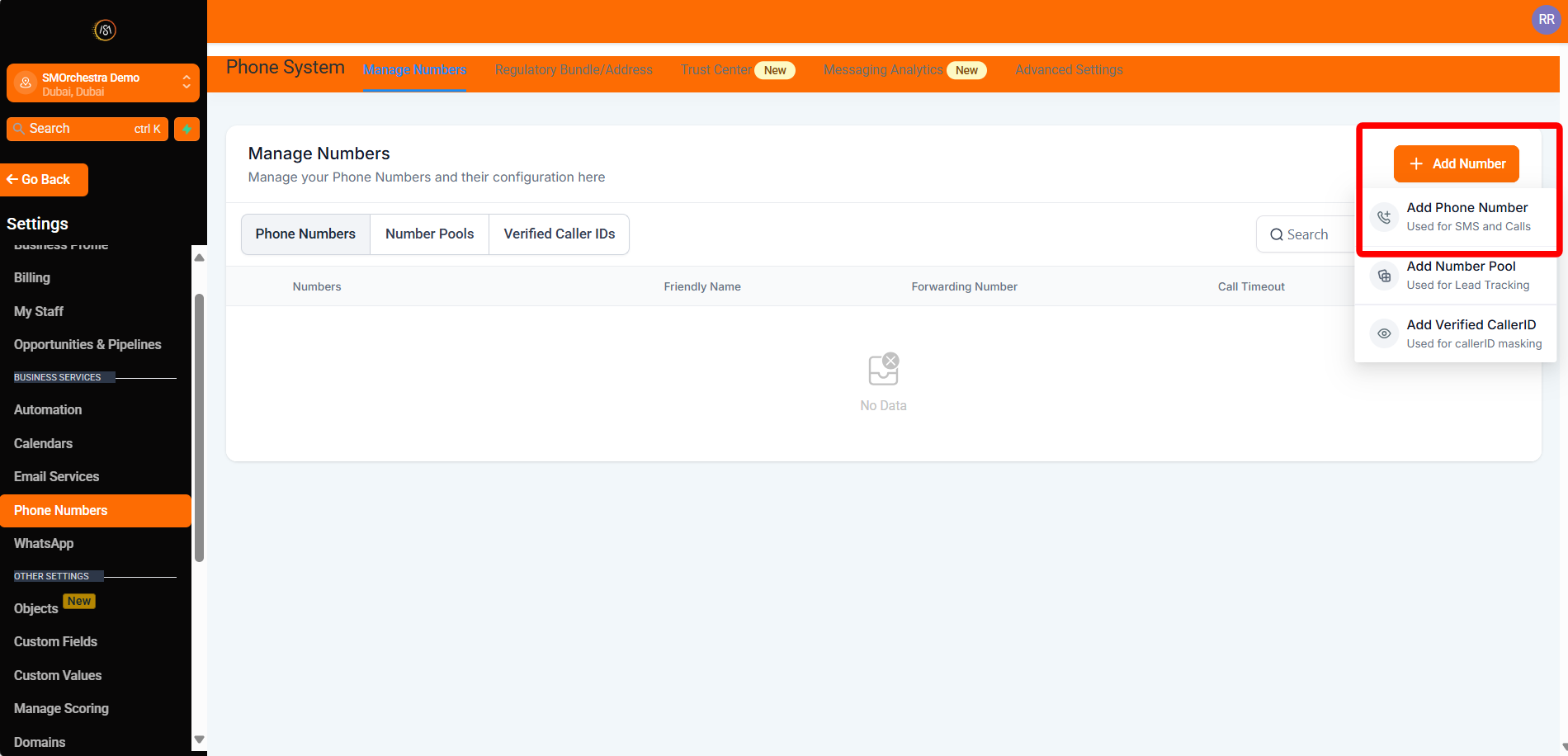
Navigate to Settings > Phone Numbers.
-
Click Add Number > Add Phone Number.
-
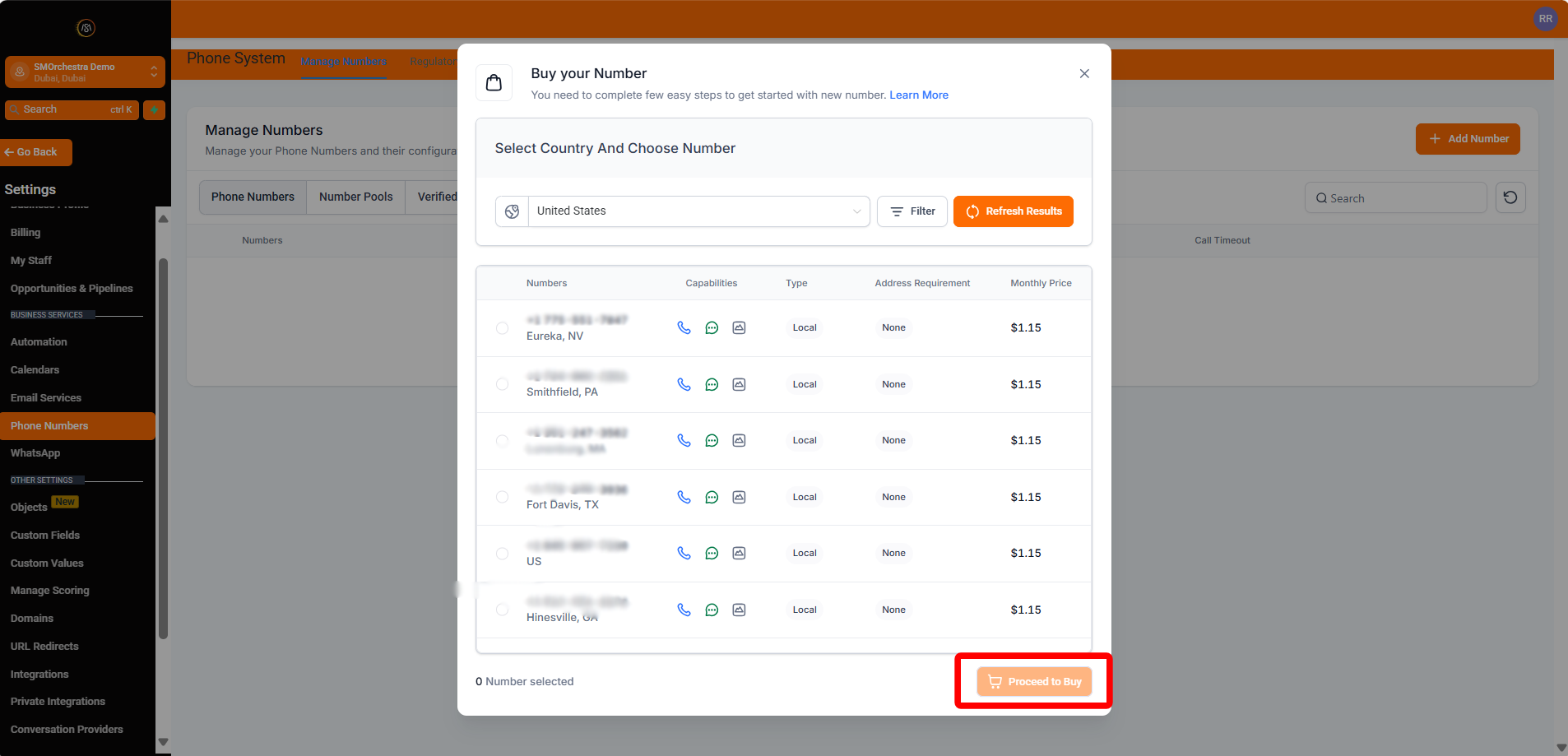
Filter numbers by country and area code.
-
Select your desired phone number.
-
Click Proceed to Buy.
Next, make sure you're ready to handle incoming calls efficiently by setting up call forwarding.
🔁 Forward Phone Calls
Stay responsive by directing incoming calls to the number that's most convenient for you:
-
Navigate to Settings > Phone Numbers.
-
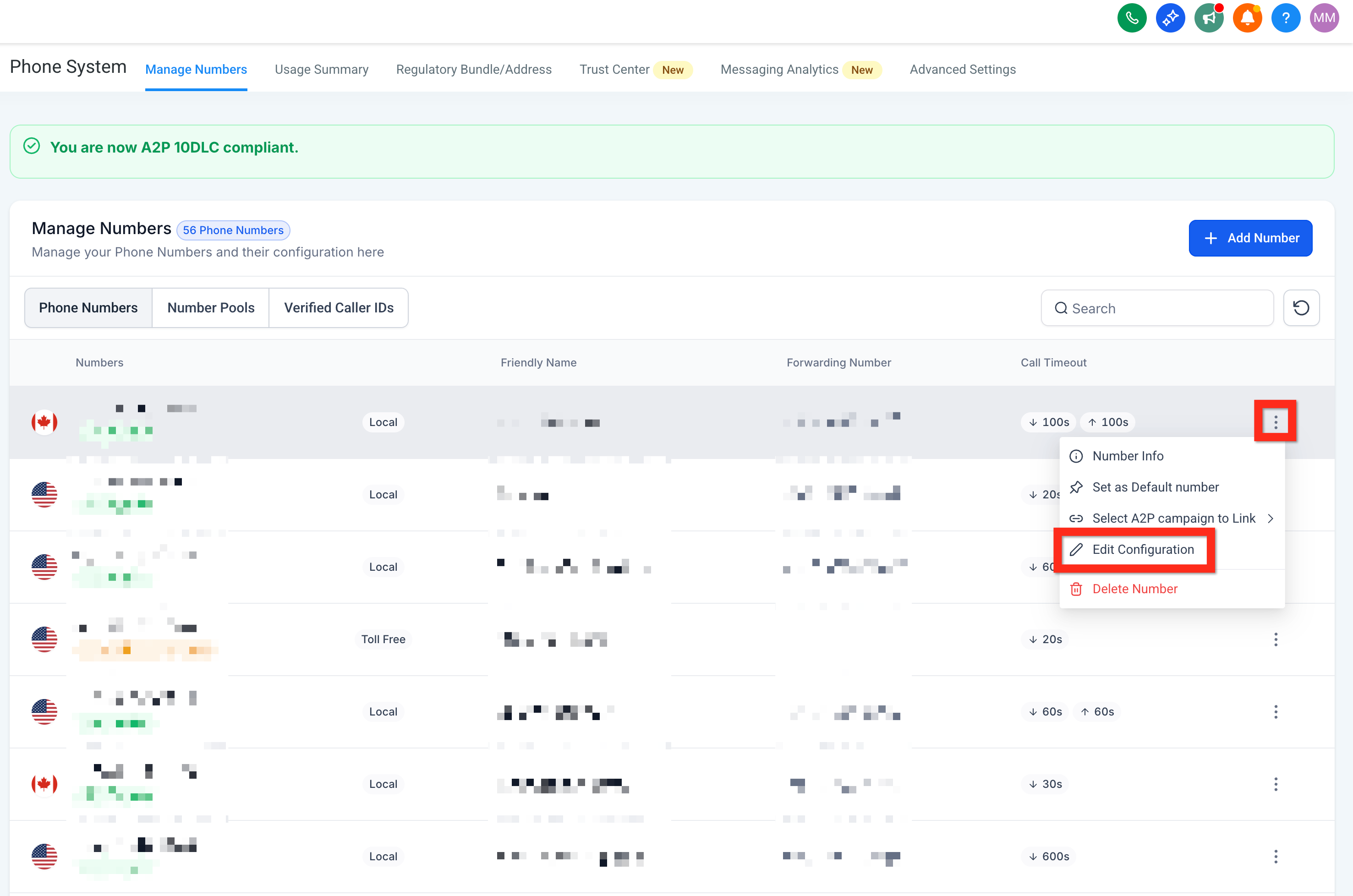
Click the 3-dot action menu next to your phone number.
-
Click Edit Configuration.
-
Enter your preferred forwarding number (e.g., your personal cell).
-
Click Save.
Next, learn how easy it is to initiate direct communication with individual contacts.
📞 Contact a Contact
Quickly reach your contacts through their preferred communication channel:
-
Navigate to Contacts.
-
Browse, filter, or search to find the contact.
-
Open the Contact Card:
-
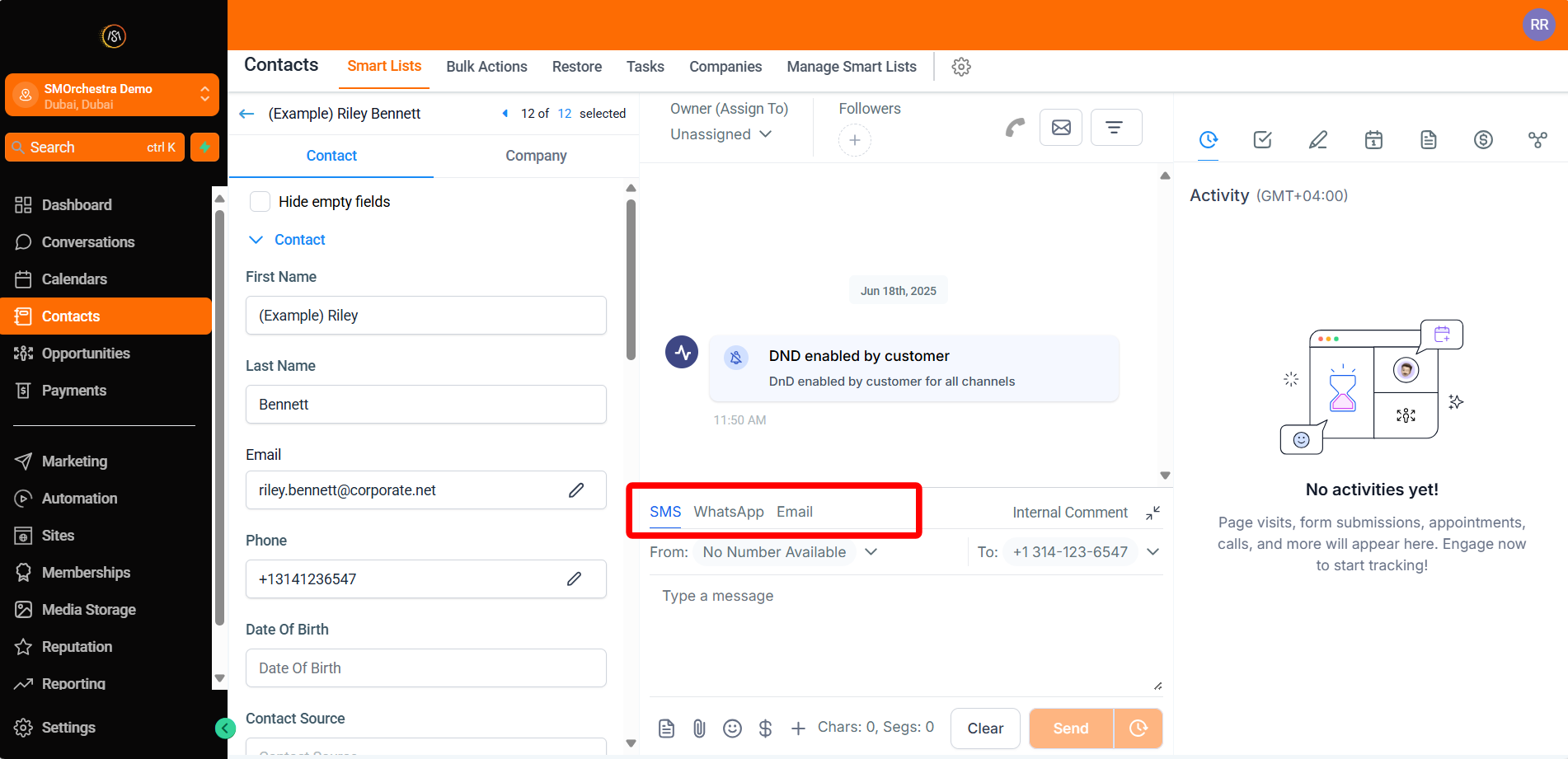
Call: Click the call connect button (green phone icon in the upper right).
- SMS: Select the SMS tab in the message composer (bottom middle).
- Email: Select the email tab in the message
composer (bottom middle).
Next, boost your outreach effectiveness by communicating with multiple contacts simultaneously.