How can I publish evergreen content using Category queue?
📦 What’s a Category Queue?
A category queue is a powerful way to plan your evergreen content by re-purposing the already published and future content tagged to a certain category to be re-utilised for publishing on the platforms or add new category with new content. This would allow us to not just be able to schedule a specific post, but a whole category of posts and the system would cycle through all of the posts until the end and then reset and start again.
❓ How it Works?
📝 Pre-requisite: User should have a list of published posts tagged to a category which can then be utilized as a part of new category queue creation.
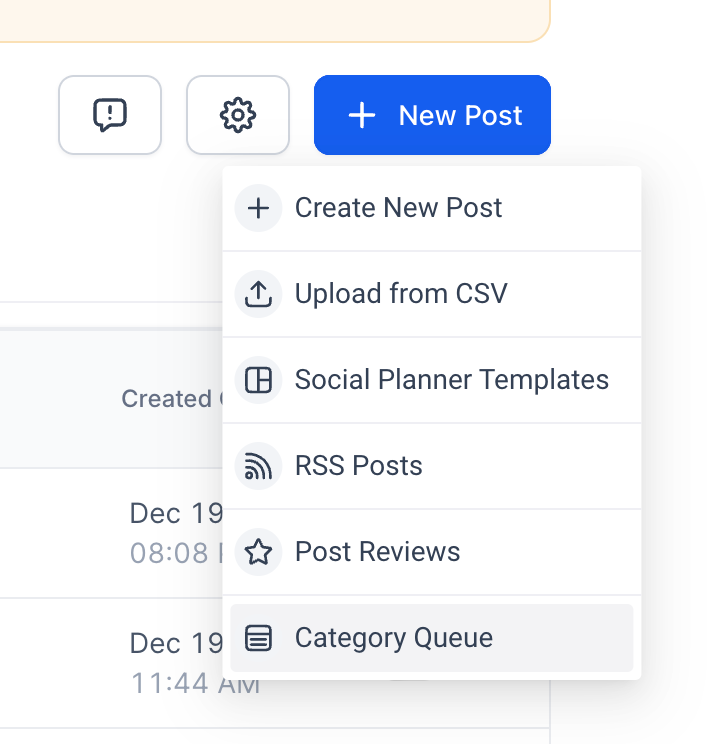
1️⃣ Navigate to New Post button → Click on Category Queue option.
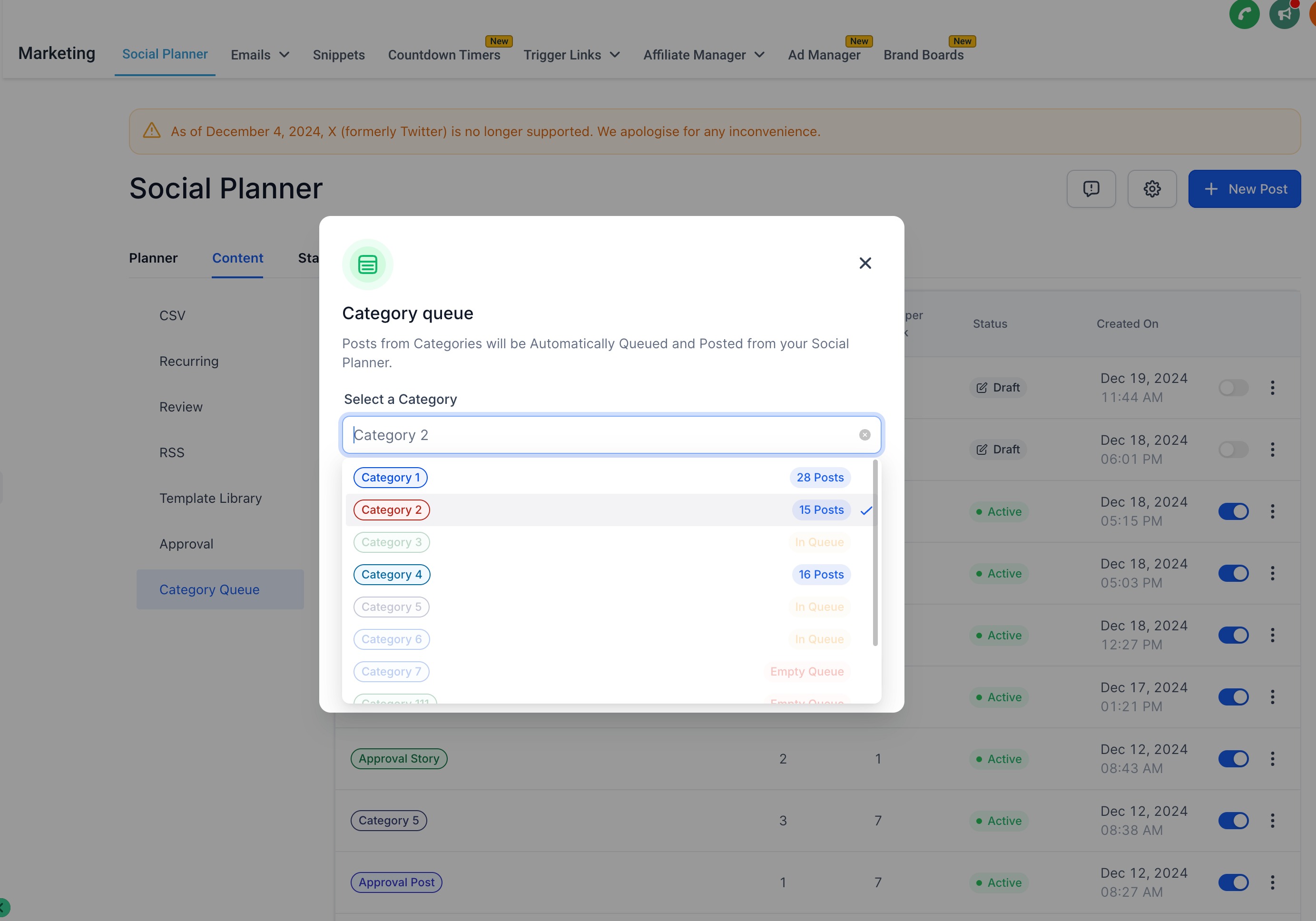
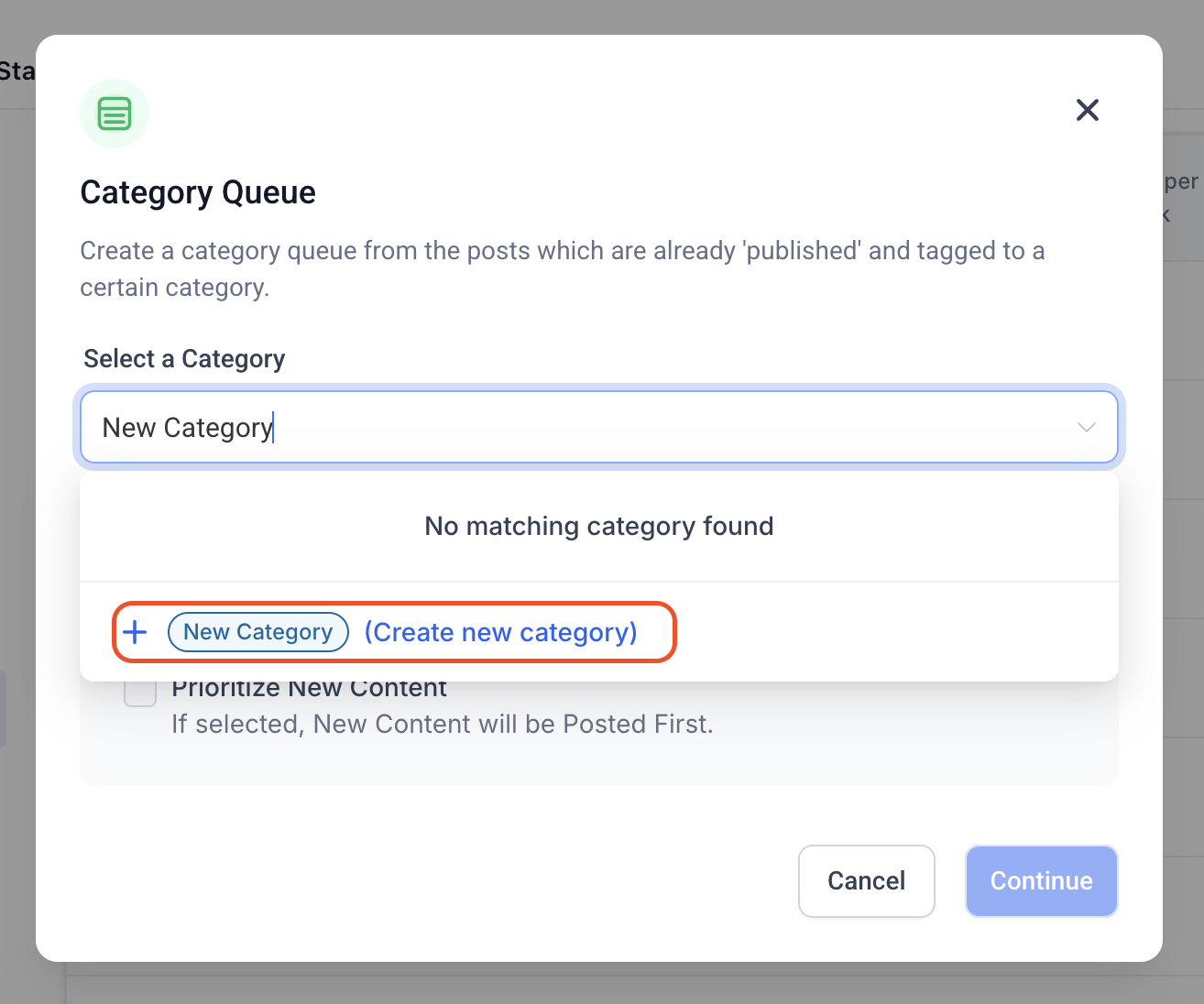
2️⃣ Select a Category – Choose the desired category for creating the queue or add new by typing the name of category.
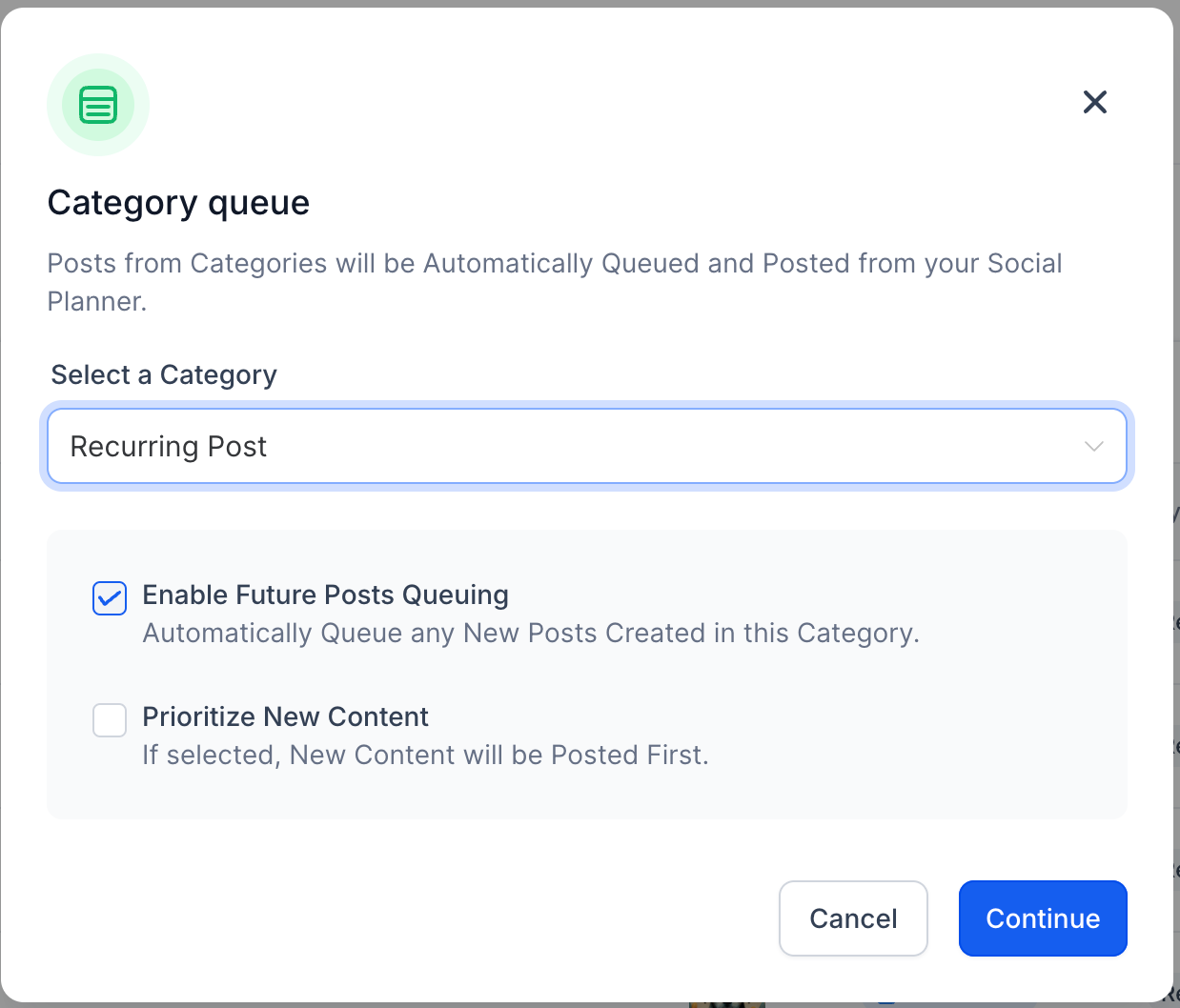
3️⃣ Enable Preferences – Enable options like ✅ Enable Future Posting or 📌 Prioritise Content by checking the corresponding checkboxes:
- Future Posting – adds any upcoming content published or added to the queues
- Prioritise Content – adds the new content to the front of the queue to publish first
4️⃣ Set Posting Schedule – Select the preferred Days and Time for your posts.
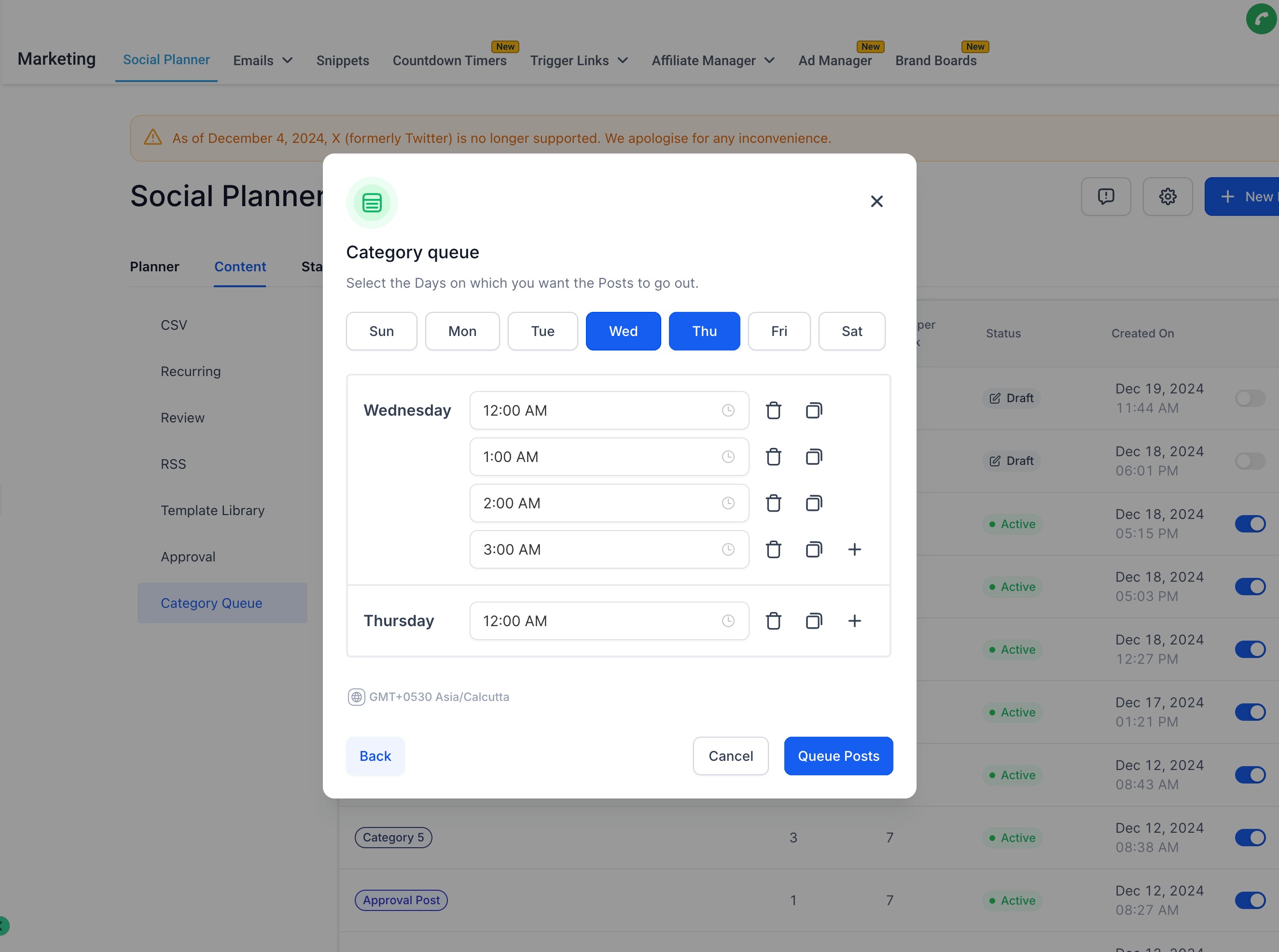
5️⃣ Edit Content – Review and edit the Media or Content of the posts as needed. There is an option of New Post, this new post will allow users to add new post in queue in any sequence. User can also add multiple content variations to allow them to shuffle the content with media format to build uniqueness.
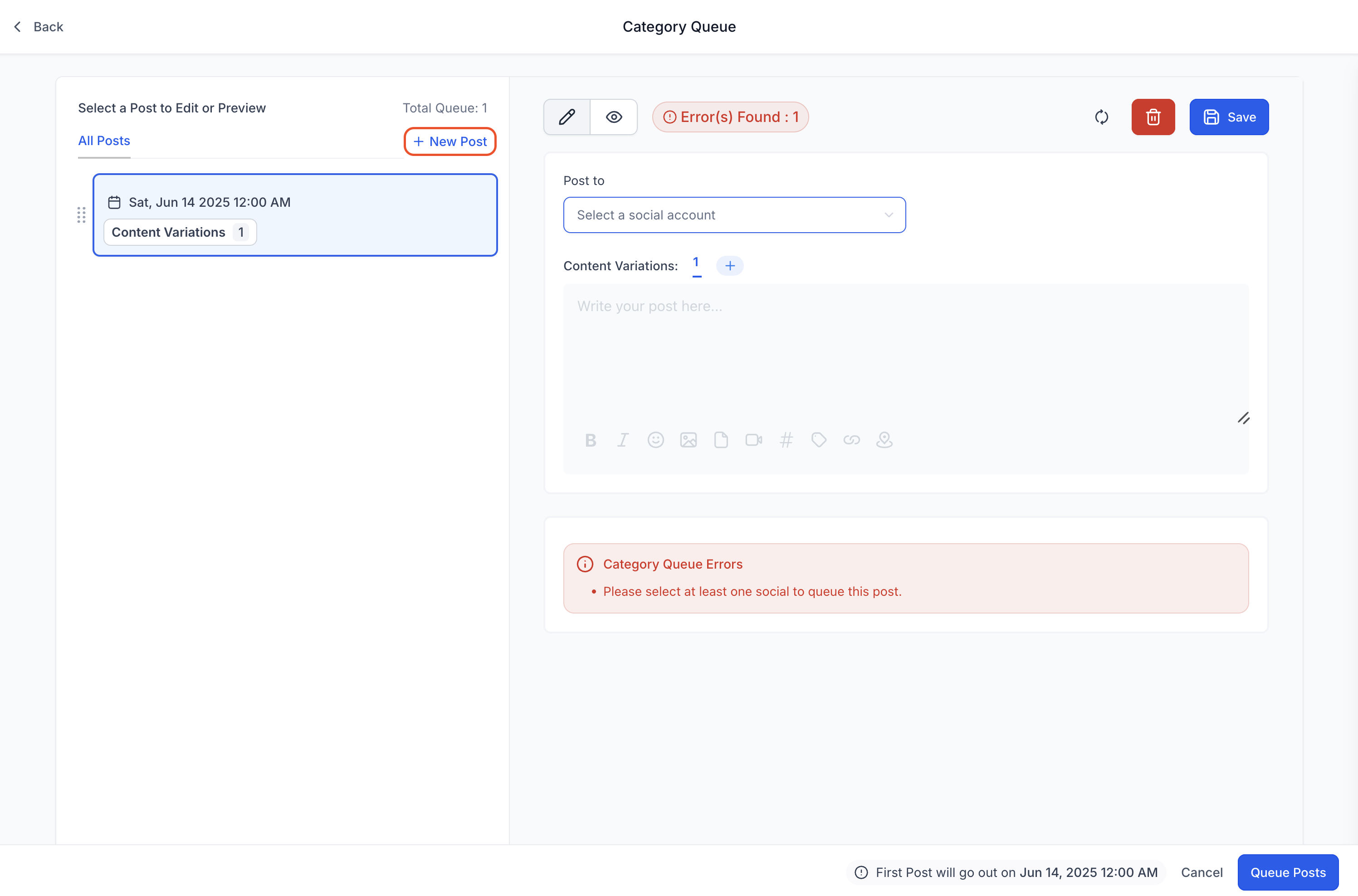
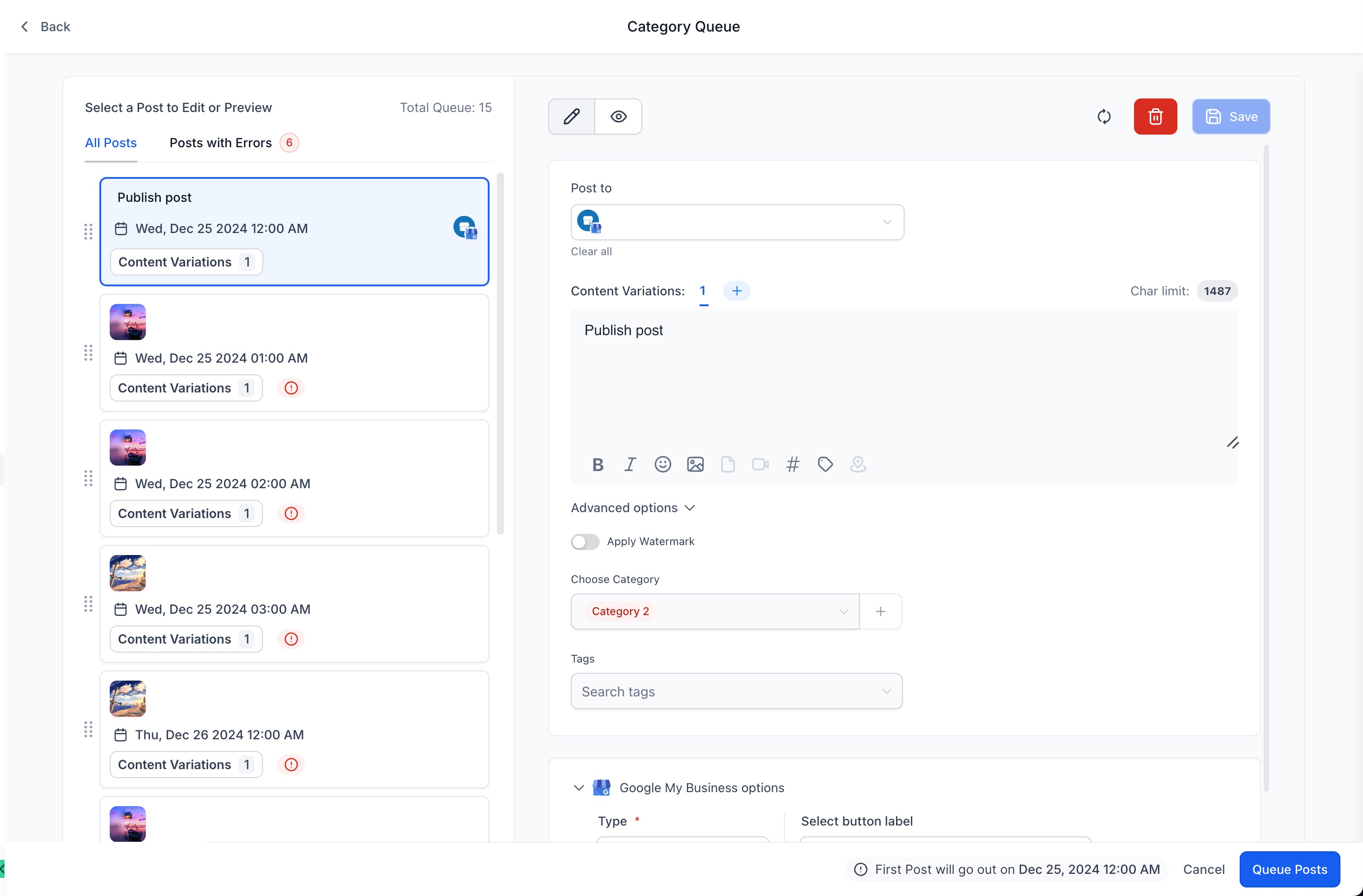 6️⃣ Fix any errors identified by the caution, error and warning messages.
7️⃣ Click Queue Post button to Schedule the posts in case no errors are present.
8️⃣ Click Queue Post button to finalise and Save as Draft in case any errors are present. Alternatively, click Cancel to save your progress as a draft for future editing.
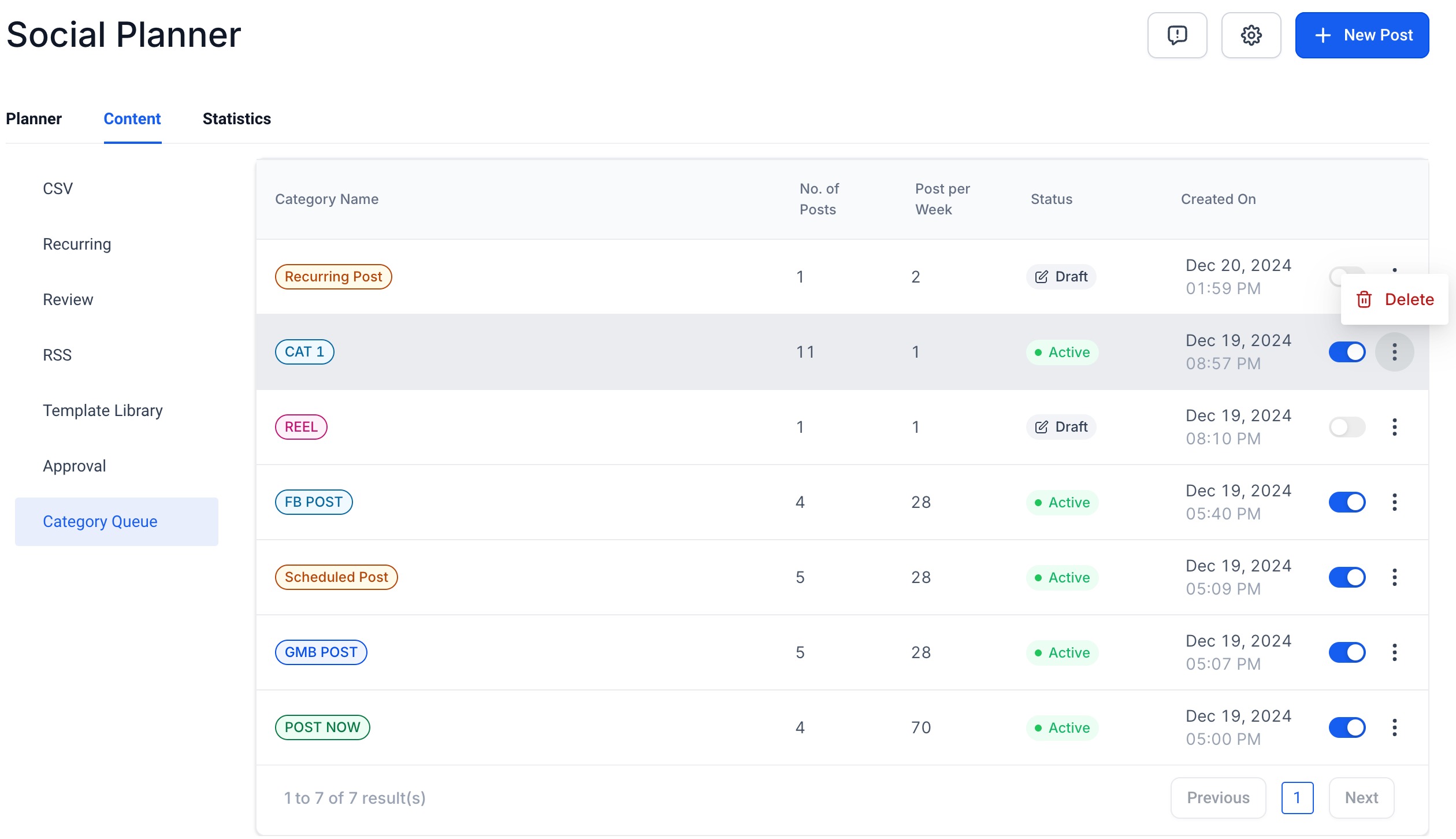
9️⃣ User can ⏸️ pause or ▶️ resume the category queues at any given point of time from the Content tab by enabling/disabling the toggle.
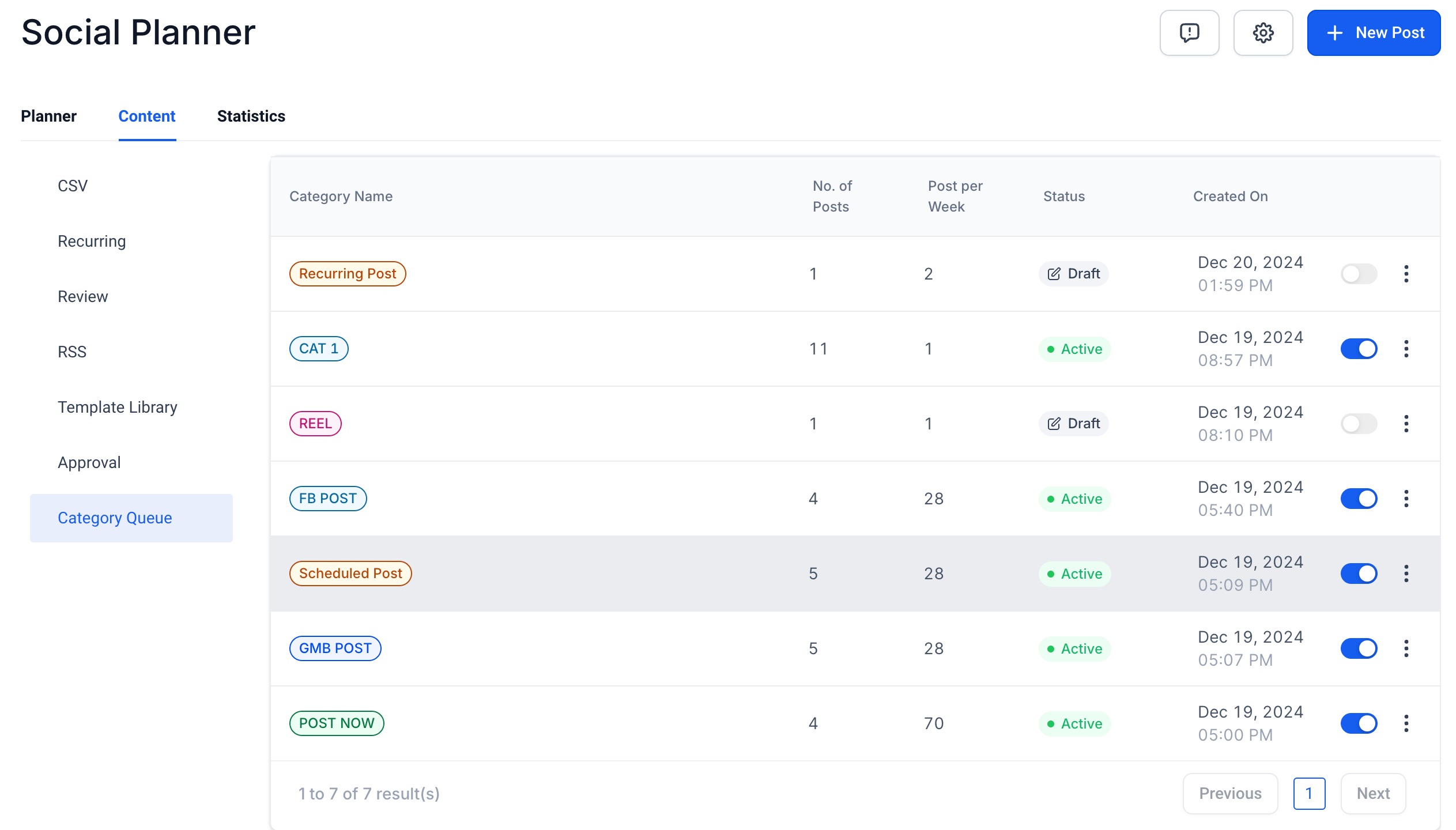
🔟 User can also ❌ delete the category queue if needed, from the three dots icon.
👨🏫 Pointers to Note:
- Category queues can be created for already published content tagged to a certain category, or you can create new posts and new category
- Category queues can be paused/resumed at any point as we deem fit for planning the content
- It can be deleted in case we do not want the same content to go out
- The content of the previously published posts can be edited/updated while the creation of category queue
- You can also add a new post; it can be added in the middle of the queue too
- The category queue created cannot be edited or re-scheduled for a different timeframe currently
🧠 FAQ:
1️⃣ How can I support future posts in the category queue? All the previous and future posts tagged to the 'category' will be automatically added to the category queue. In case the new posts need to be added to the front of the queue – please select the option 'Enable Future Posting' and 'Prioritise Content'.
2️⃣ Can the category queue be edited to update the scheduled date and time? The scheduled date and time can be planned at the category queue creation time – it cannot be edited at a later point of time.